Downloading and Installing Arc Hydro Tools
Last updated: 2023
Download the PDF here
Before you get started
If you have a previous version of Arc Hydro installed, make sure you uninstall it first. Arc Hydro installer will NOT overwrite an existing installed version. Use Windows "Add or remove programs" in "Settings" to uninstall an existing version of Arc Hydro.
Arc Hydro for ArcMap and Arc Hydro for ArcGIS Pro are two separate installs and can coexist on the same machine. They are managed (installed/uninstalled) independently.
You will need administrator privileges on your computer to install the tools.
Download Arc Hydro
Download the latest version of Arc Hydro setup for your specific version of ArcMap or ArcGIS Pro from: https://www.esri.com/en-us/industries/water-resources/arc-hydro/downloads
- Once there, you will see a tab for each of the Arc Hydro desktop software and the "Guides" tab containing documentation. It will look something like:
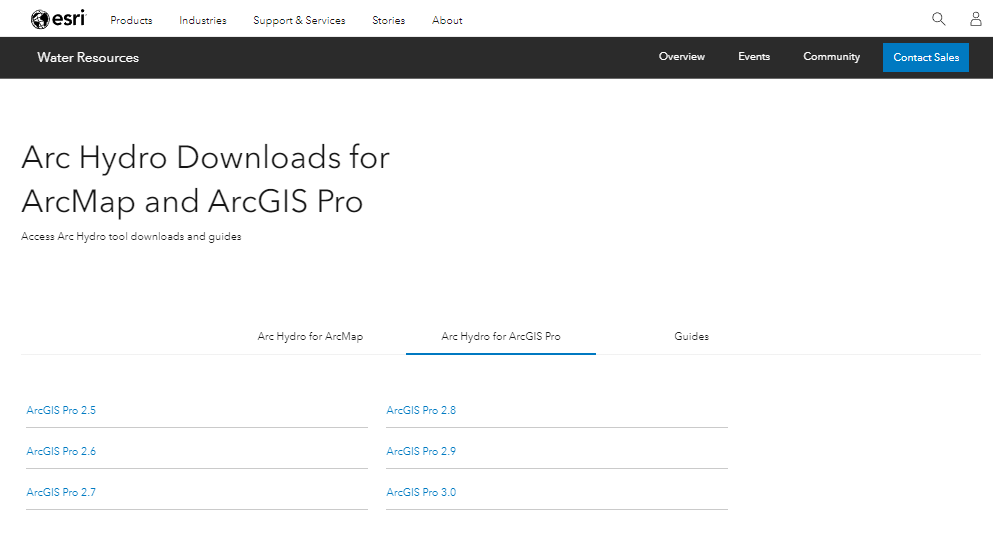
Go to the tab for your specific ArcGIS desktop version and select
desktop version of interest (the example used in this document uses the ArcGIS Pro version for ArcGIS Pro 3.0).
There will be one or more Arc Hydro versions available (multiple
links).
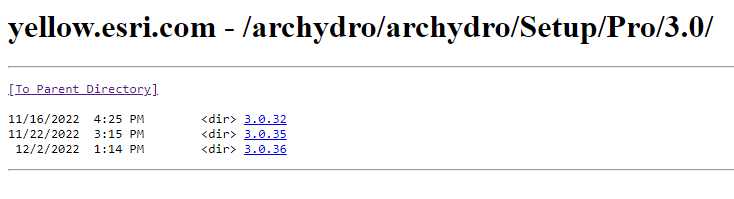
- Unless you were pointed to a specific version, you should always get
the one with the largest version number. For example, in the figure above, go to the "3.0.36" folder.

Optionally, for Arc Hydro Pro versions 2.9.36 and above, there will
be a .sha256 file as well ( this is a "SHA-256" checksum file associated with the .msi file). This can be used to verify integrity of the downloaded Arc Hydro .msi file. Download this file as well if you plan to verify the .msi file before installation.
Review technical article "How To: Verify an Esri download using the checksum" to learn how to perform file verification using checksum.
Note that Arc Hydro uses "SHA-256" algorithm to generate checksum value.
Install Arc Hydro
- Double-click on the downloaded .msi file and follow the installation instructions.
Other Resources
For a detailed list of Arc Hydro versions and specific release notes, check out: https://community.esri.com/t5/water-resources-questions/arc-hydro-installation-versions-and-documentation/td-p/269522
Documentation for Arc Hydro is available via Water Resources Community page: https://community.esri.com/t5/water-resources-documents/tkb-p/water-resources-docs